 thingiverse
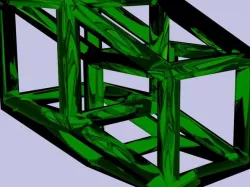
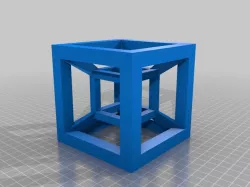
Hypercube
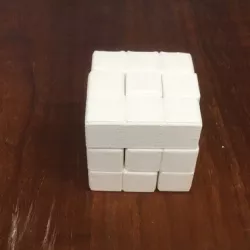
4D Cube in 3D
To fully understand I recommend reading this.
Instructions
To produce this object I used a common editor called blender.
First I created a basic cube with a smaller cube inside. I extruded the faces of the smaller cube to the outside of the larger cube while locking the extrusion to the axis the face was pointing to.
With the new object inside, I used the boolean tool to remove the area that it shared with the big cube and removed it. This left be with a solid "wireframe" like cube. I duplicated this object and shifted it using the blender grid.
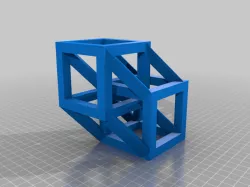
Join these cubes into one object.
Onces that was done, I joined all of the corners using the edit tools and created joining vertices, then faces from those vertices. Don't fill the ends that are inside the cubes yet. (Its hard to get to them if you do)
The next bit is tricky. I highlight all of the new "joints" that aren't completely solid and unjoin them from the object. (Use the blender manual to attempt this) I filled in the empty ends where the cubes once existed without moving it on the scene!
You can now use boolean logic to join this into the cubes and clean up any faces that may become problematic using the edit tools.
*Note Dimensions don't matter much in this. You can scale my model or make your own with any sizes you like.
Direct link to the original creator's page
Also Available On
Similar Models
 thingiverse
 thingiverse
 thingiverse
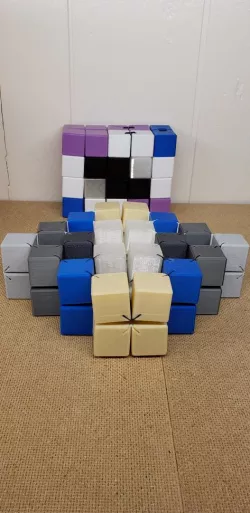 thingiverse
 thingiverse
 thingiverse
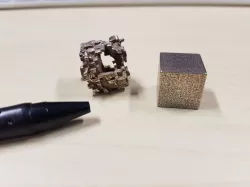 thingiverse
 cults3d
Model Specifications
Frequently Asked Questions
How do I download Hypercube?
Click the "View on thingiverse" button above to visit the original model page on thingiverse. You can download the STL file directly from the creator's page for free.
What 3D printer can I use for this model?
This STL file is compatible with most FDM 3D printers (Creality Ender 3, Prusa MK3S+, Bambu Lab, etc.) and resin printers (Elegoo, Anycubic). Check the original page for recommended print settings and materials.
Is this 3D model free to download?
Yes, this model is available as a free download on thingiverse. Some creators accept tips or donations.
Can I modify this STL file?
Most STL files can be modified using free software like Blender, TinkerCAD, or Meshmixer. Check the license on the original thingiverse page to see if modifications are permitted by the creator.